
Roblox Error Code 279 (ID = 17): What It Means and How to Fix It
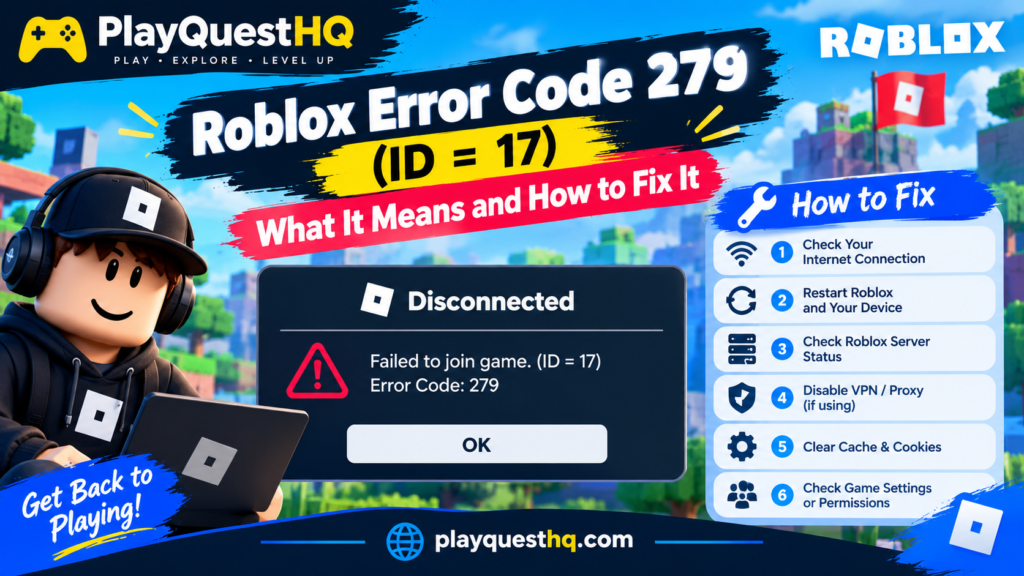
Roblox error code 279 appears when your device tries to join an experience but cannot finish connecting to the game server in time. It often shows as “Failed to connect to the Game. (ID = 17: Connection attempt failed.)” and sends you back to the menu. The good news is that it is a connection problem, not a ban, and most players fix it in a few minutes. For general Roblox questions, from devices to parental controls, see our Roblox guide.
What Causes Error 279?
- A slow or unstable internet connection, often weak Wi-Fi.
- A firewall or antivirus program blocking Roblox.
- A VPN or proxy getting in the way of the connection.
- A router that blocks the ports Roblox uses for game traffic.
- An experience that is too heavy for your device or connection to load in time.
- Problems on Roblox’s own servers.
Step 1: Check Whether Roblox Is Down
Before changing anything, open the official status page at status.roblox.com. If Roblox reports an outage, the fix is simply to wait. You can also try a different, simple experience: if every experience fails, the problem is likely your connection or Roblox. If only one fails, that experience may be overloaded or broken.
Step 2: Restart Everything
- Close Roblox completely (on PC use Task Manager, on phones swipe it away).
- Turn off your router or modem for 30 seconds, then turn it back on.
- Restart your computer, phone or console.
- Open Roblox and try again.
This clears most temporary connection problems.
Step 3: Use a Stronger Connection
- Move closer to the router or use a wired Ethernet cable on PC and Xbox.
- Use the 5 GHz Wi-Fi band if your router has one.
- Pause big downloads, game updates and video streams on other devices.
- On a phone, switch between Wi-Fi and mobile data to see which works better.
Step 4: Turn Off VPNs and Proxies
VPNs and proxy settings change the route your connection takes and can cause timeouts. Disconnect any VPN app, and on Windows check Settings > Network and internet > Proxy to make sure no manual proxy is turned on unless you need it.
Step 5: Allow Roblox Through Your Firewall (PC and Mac)
Windows
- Search for Allow an app through Windows Firewall in the Start menu.
- Click Change settings.
- Find Roblox Player (or add it with Allow another app) and tick both Private and Public.
- If you use another antivirus program, add Roblox to its list of allowed apps too.
Mac
Open System Settings > Network > Firewall, click Options and make sure Roblox is allowed to receive incoming connections.
Step 6: Check Your Router Ports
Roblox game traffic uses UDP ports 49152 to 65535. Most home routers allow these by default. If you are on a school, office or strict home network that blocks them, Roblox games will fail to load. Ask the network owner to allow that range, or try another network to confirm this is the cause.
Step 7: Change Your DNS
A slow DNS server can delay the connection. On Windows, open your network adapter settings and set a public DNS such as 8.8.8.8 and 8.8.4.4 (Google) or 1.1.1.1 and 1.0.0.1 (Cloudflare). Then open Command Prompt and run ipconfig /flushdns to clear the old cache.
Step 8: Update or Reinstall Roblox
- Install the latest Roblox version from the official site, the Microsoft Store, the App Store or Google Play.
- On Android, go to Settings > Apps > Roblox > Storage and clear the cache.
- On iPhone and iPad, delete the app and install it again.
- Set the date and time on your device to update automatically.
Fixing Error 279 on Xbox
Restart the console fully (hold the power button for 10 seconds), then test your connection under Settings > General > Network settings > Test network connection. If the test reports a strict NAT type, your router may be limiting game traffic. A wired connection usually helps most.
When the Problem Is Not on Your Side
If none of the steps help and only one experience fails, the experience itself may be too large or have a broken server. Try again later or report it to its creator. If every experience fails on every network, contact Roblox Support through the official help site.
Related Roblox Errors
- Error 277: you lost connection after already joining a game.
- How to Fix Roblox Error Code 529: a problem with Roblox’s web services, usually fixed by waiting.
- Error Code 267: the game itself kicked or banned you. See our Roblox error code 267 fix guide.
While you wait, you can still play: try our free browser obby game, which needs no download and no account.
Frequently Asked Questions
What does ID = 17 mean in Roblox?
It is the internal code for a failed connection attempt. It appears with error 279 and means your device could not connect to the game server.
Is error 279 a ban?
No. Error 279 is a connection problem. Moderation actions show a different message.
Why do I only get error 279 on school Wi-Fi?
School and office networks often block the UDP ports Roblox uses for games. Try a home network or mobile data.
Does error 279 mean Roblox is down?
Sometimes. Check status.roblox.com first. If Roblox reports no problems, the cause is usually your connection, firewall or VPN.
Last updated: October 18, 2026
Leave a Reply