
How to Fix Roblox Error Code 277 (Lost Connection)
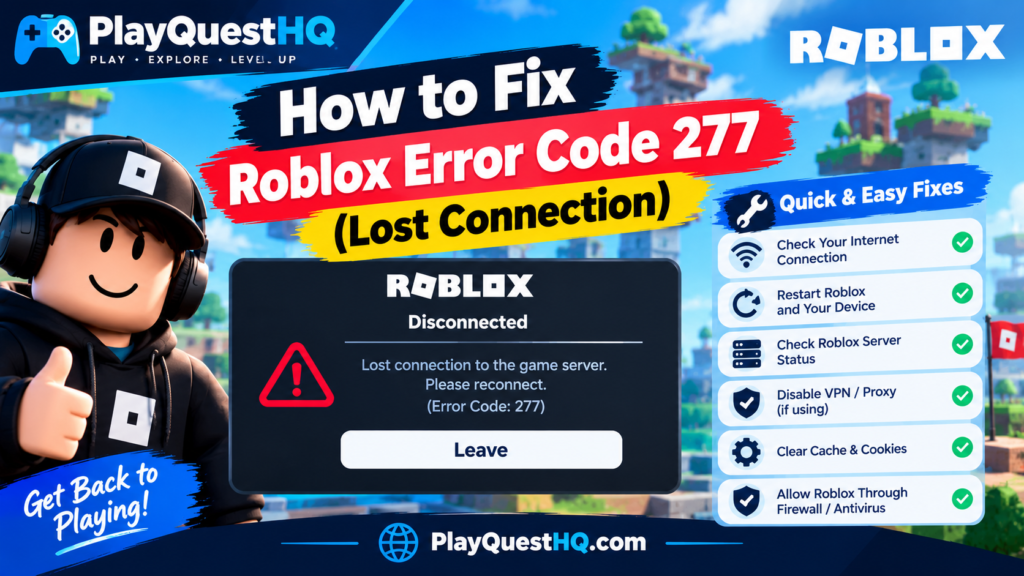
Roblox error code 277 means the connection between your device and the game server broke while you were already playing. The message reads “Lost connection to the game server, please reconnect”, and that is exactly what happened: you got in, you were playing, and the link dropped. Unlike error 279, which stops you joining in the first place, 277 strikes mid-game. This guide works through why the connection drops and the fixes in the order worth trying them. For general Roblox help, from devices to parental controls, see our Roblox guide.
What Error Code 277 Actually Means
While you play, your device and the game server swap a constant stream of updates. When that stream breaks for more than a few seconds, the server gives up on your session and shows error 277. Nothing in the error is about your account: it is not a ban, and it is not the game removing you. Error 267 is the one where the game’s own script kicks you, usually with a message explaining why.
The single most useful question with 277 is whether it happens once or keeps happening. A one-off 277 is usually a blip at the server end or a two-second WiFi drop, and reconnecting is the whole fix. A 277 that returns again and again follows a pattern, and the pattern tells you where the problem lives.
First: Work Out Which Kind of 277 You Have
- It happened once. Most likely a server blip or a brief drop in your connection. Reconnect and carry on.
- It happens in every game. Your connection or your device is the common factor. Work through the fixes below.
- It happens in one game only. Other games play fine, so your setup works. That experience’s servers or code are dropping you, and rejoining (which lands you on a different server) is the main fix.
- It happens at the same times of day. Evening disconnects usually mean a busy household network or a busy ISP, when everyone nearby is streaming at once.
Why Error Code 277 Happens
Your WiFi dropped for a few seconds. The most common cause by a long way. Web pages and video survive short drops because they load ahead and buffer. A live game has nothing to buffer, so a gap of a few seconds ends the session. Distance from the router, thick walls and interference from other networks all make these drops more likely.
The server end dropped you. Sometimes the break is not yours. A Roblox server can stumble, restart or close, and an individual experience’s server can crash under load. If everyone in your session disconnects at the same moment, it was the server, and nobody’s settings need changing.
Power saving turned your connection off. Windows can switch off the WiFi adapter to save power, and phones do the same with battery saver modes and WiFi sleep. This is the classic cause of the very specific complaint “it only disconnects when I play on battery” or “when the screen dims”.
Your network is busy. Big downloads, cloud backups and 4K streams on the same connection cause short stalls. Your speed test can look fine while these stalls are still breaking game sessions.
Security software or an old client. Less common: a firewall or antivirus briefly blocking Roblox traffic, or a badly outdated Roblox install. Worth checking only after the causes above.
How to Fix Error Code 277
- Reconnect or rejoin first. For a one-off drop this is the entire fix. Rejoining also puts you on a fresh server, which quietly solves every server-side cause as well.
- Check the Roblox status page. Open status.roblox.com. If there is an incident or maintenance, wait it out: no setting on your device fixes a platform problem.
- Restart Roblox properly. Leave the experience and close the app fully, not just the session. If 277 repeats after that, restart the device too.
- Power-cycle your router. Unplug it for 30 seconds, then let it start up fully. Routers build up temporary faults over weeks of uptime, and a clean restart clears them.
- Make the WiFi link stronger. Move closer to the router, use the 5GHz band if you are near it, or plug in an Ethernet cable. A wired connection removes the biggest cause of 277 completely.
- Turn off power saving on the connection. On Windows, stop the WiFi adapter being switched off to save power (Device Manager, your adapter, Power Management). On phones and tablets, turn battery saver off while you play, and keep the device plugged in for long sessions.
- Test a completely different network. Join through a mobile hotspot. If 277 disappears, your home network is confirmed as the cause and the fix belongs there. If it follows you to every network, update Roblox, allow it through your firewall, and reinstall only as the last step.
How to Stop 277 Coming Back
Most repeat 277s end with one of three habits: playing on a wired connection or a strong 5GHz signal instead of a weak one, playing plugged in so power saving never touches the network, and pausing big downloads and streams on the same connection while you play. If one favourite game keeps dropping you while everything else runs cleanly, tell the experience’s creator with the times it happened. Per-game server problems are theirs to fix, and reports with times are what they need.
What Not to Do
- Do not treat 277 as a ban or a punishment. It carries no message about your account and says nothing about your standing. Bans arrive as error 267 with the game’s own message.
- Do not start with advanced router settings. DNS changes and port rules are the last resort in most guides and the first thing they tell you. For a dropped connection, they rarely matter; the order on this page fixes most cases before you get near them.
- Do not reinstall Roblox as step one. If rejoining works and other games run, your install is fine. Reinstalling is for when 277 follows you across networks and devices.
Error 277 vs 279 vs 267
These three codes all end a session, and telling them apart saves a lot of wasted fixing. Error 279 means you never got in: the join itself failed, and our error 279 fix guide covers it. Error 277 means you got in and the connection broke mid-game, which is this page. Error 267 means you got in and the game itself removed you, a kick or ban by that experience’s own script, and our error 267 fix guide covers that one. If you were playing happily and then dropped, you want 277.
Frequently Asked Questions
No. Error 277 is a dropped connection, nothing more. It has no message about your account and no effect on your standing. Bans on Roblox experiences arrive as error 267, where the game that removed you shows its own message.
Because “working” for web pages and video is a lower bar than a live game needs. Short drops and packet loss that a buffered video hides will end a game session. Power saving switching your adapter off is the other hidden cause. Test a wired connection or a hotspot: if the drops stop, your WiFi link was the problem all along.
Because that experience’s servers or code are dropping your session while everything else runs fine. Rejoining lands you on a different server, which often fixes it for the session. If it happens every time in that one game only, report it to the creator with the times it happened.
Sometimes. If Roblox has a platform problem, 277 appears for large numbers of players at once. Check status.roblox.com: if it shows an incident, waiting is the fix. If it shows everything working and other players are in games, the cause is at your end.
Only what the game had not saved yet. Most experiences save at checkpoints, purchases and round ends, and that saved progress survives a disconnect. Work done since the last save point, such as an unfinished round, is usually lost. Games with frequent autosaving lose the least.
Related Roblox Errors
- How to Fix Roblox Error Code 529: a problem with Roblox’s web services, usually fixed by waiting.
Leave a Reply