
How to Fix Roblox Error Code 267 (Kicked From a Game)
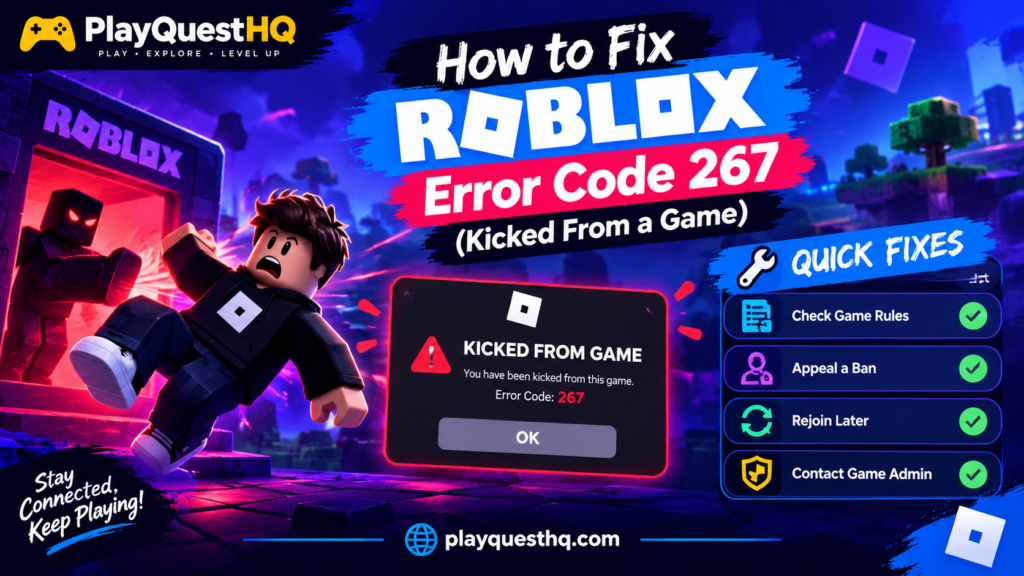
Roblox error code 267 means one thing: the game you were playing removed you from its server. Unlike connection errors, 267 is not Roblox failing to reach your device. The experience’s own script kicked you, and it almost always leaves a message explaining why. This guide starts where most others skip: read that message first, then follow the fix that matches it. For general Roblox help, from devices to parental controls, see our Roblox guide.
What Error Code 267 Actually Means
Every Roblox experience runs its own code, and creators can remove a player with a kick command. Error 267 is what you see when that happens to you. Roblox Support files it under “Banned from an Experience”, which tells you the important part: the decision was made by that game’s script or its creator, not by Roblox’s servers and not by your internet.
That is why the generic advice for this error is mostly wrong. Restarting your router, reinstalling Roblox or changing your DNS cannot undo a kick, because your connection was never the problem. If other experiences open and play normally, your setup is fine and the answer is inside the one game that removed you.
Step 1: Read the Kick Message
The text under the error code is the whole diagnosis. Before you close the dialog, read it fully or take a screenshot. Kick messages usually fall into one of these groups:
- A ban message: it says you are banned from the experience, sometimes with a duration. Only that game is affected.
- An account age message: many games automatically kick accounts younger than 7, 30 or 60 days to keep out bots and throwaway alt accounts.
- A data or session message: the game could not load your saved data or found a session problem, and removed you to protect your progress.
- A short reason with no detail: some creators write their own text, or none at all. Note the exact wording anyway, because the creator will ask for it if you appeal.
If the message names a condition, that condition is your fix list. Work through the causes below and match yours.
Why You Got Error Code 267
You were banned from that experience. The most common cause. A moderator removed you, or an automatic system flagged something you did. Bans can be temporary or permanent, and they apply only inside that one experience.
Your account is too new for that game. Trading and competitive games often set a minimum account age. A brand new account gets kicked within seconds of joining, every time, until it is old enough. Nothing is broken; the game is filtering you on purpose.
The anti-cheat made a mistake. Some games watch for impossible movement. A lag spike or a freeze can make your character appear to teleport, and the script reads that as speed hacking and kicks you. It is a false positive, and it usually happens once rather than repeatedly.
Your VPN or proxy got you kicked. Many creators block connections from known VPN data centres to stop banned players returning on new accounts. If you play through a VPN, your IP address alone can trigger the kick.
How to Fix Error Code 267
- Test another experience. Join a different, simple game. If it works, your account and connection are fine and the problem is only the game that kicked you. Do not change any settings.
- Follow the message. If it says banned for a set time, wait it out. If it mentions account age, the only fix is time: play other games until your account is old enough for that one.
- Turn off your VPN and rejoin. If you use a VPN or proxy, disconnect it completely and try the game again on your normal connection.
- Rejoin once after a one-off kick. If you were removed during a lag spike with no ban message, wait a minute and rejoin. A single anti-cheat false positive rarely repeats.
- Contact the experience’s creator. If you believe the kick or ban was a mistake, message the creator through the experience page or its linked community, and include the exact kick message and when it happened. Creators are the only people who can reverse their own bans.
- Send one factual appeal, then stop. If the game has an appeal form or a Discord for appeals, use it once, keep it short and factual, and wait. Repeated appeals do not speed anything up.
What Not to Do
- Do not reinstall Roblox or reset your network if other experiences work. Those steps fix connection errors like error 279, not kicks.
- Do not pay an unban service. No third party can lift a creator’s ban, and services advertising this are scams that target your account or your money.
- Do not contact Roblox Support about a 267 ban. Support cannot override an experience creator’s decision. They will send you back to the creator.
- Do not make new accounts to get around a ban. Creators treat that as ban evasion, and it usually turns a temporary ban into a permanent one.
Error 267 vs 279 vs 277
These three codes get confused because all three end your session, but they come from different places. Error 267 is a kick: the game’s script removed you, and there is a message. Error 279 is a failed connection: your device never finished joining the server, usually because of your network, firewall or VPN, and our error 279 fix guide covers it step by step. Error 277 is a lost connection after you had already joined and were playing. If you can join other games but get removed from one, you are dealing with 267, and this page is the right one.
Frequently Asked Questions
Often, yes. It means the experience kicked you, and the kick is frequently a ban set by the creator or the game’s own systems. Read the message under the code: it usually says whether you are banned and for how long. Sometimes it is only a one-time kick with no ban behind it.
There is no single answer, because each experience sets its own rules. Temporary bans in popular games commonly run from a day to a few weeks, and some are permanent. The kick message or the creator’s community page is the only reliable source for your ban’s length.
No. Error 267 bans are made by experience creators inside their own games, and Roblox Support cannot reverse them. Only the creator of that experience can lift the ban, which is why appeals go to them and not to Roblox.
Almost never. A bad connection gives you error 279 (failed to connect) or 277 (connection lost mid-game). Error 267 means you connected successfully and the game then removed you. If other experiences play normally, your internet is not the cause.
Because the kick comes from that game’s own script and rules: its ban list, its minimum account age, its anti-cheat or its VPN blocking. Every experience sets these independently, so being kicked from one game says nothing about the others.
Related Roblox Errors
- How to Fix Roblox Error Code 529: a problem with Roblox’s web services, usually fixed by waiting.
Leave a Reply