
Can PS5 Play PS4 Games? PS5 Backward Compatibility Explained
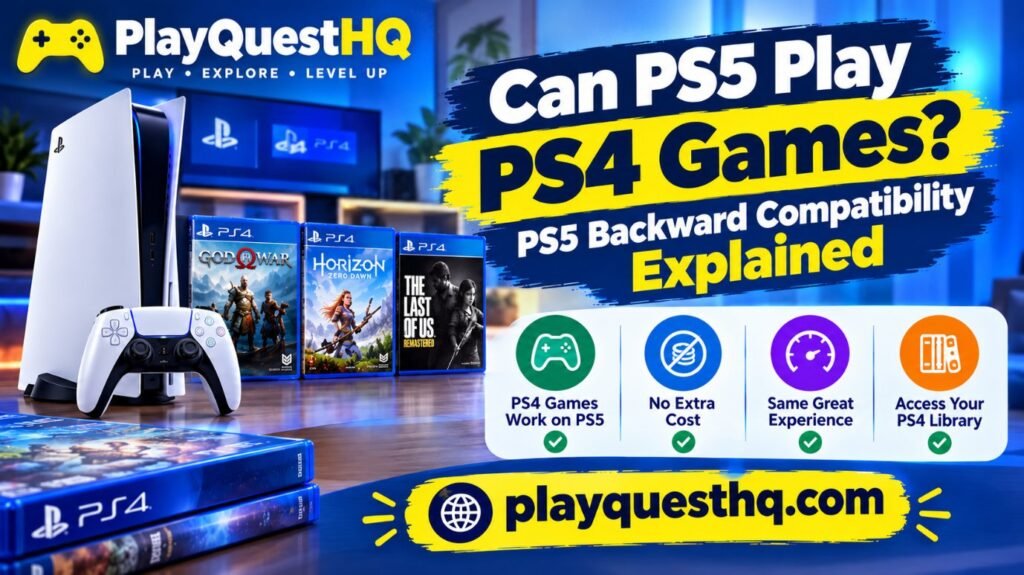
Yes. The PS5 can play almost every PS4 game, on disc and digital. When Sony launched the console it said more than 99 percent of the over 4,000 PS4 games were playable on PS5. This guide explains what works, the few exceptions, and how to bring your games and saves across. If you are still choosing a console model, our PS5 guide compares the Slim, Digital and Pro models and their prices.
Which PS5 Models Play PS4 Games?
Every PS5 model plays PS4 games: the original PS5, the PS5 Slim, the Digital Edition and the PS5 Pro. The only difference is discs.
- Models with a disc drive play PS4 Blu-ray discs.
- Digital Edition and PS5 Pro have no disc drive built in. They play digital PS4 games, and they can play discs if you add the detachable disc drive that Sony sells separately.
How to Play Your PS4 Games on PS5
- Digital games: sign in with the same PlayStation account you used on PS4. Your purchased PS4 games appear in your Game Library, ready to download.
- Disc games: insert the disc. The PS5 installs the game, and you still need the disc in the drive to play.
- PS Plus monthly games: PS4 games you claimed with PS Plus are playable while your membership is active.
The PS4 Games That Do Not Work on PS5
Sony listed a small number of PS4 games that are not supported on PS5. The list includes DWVR, Afro Samurai 2 Revenge of Kuma Volume One, TT Isle of Man: Ride on the Edge 2, Just Deal With It!, Shadow Complex Remastered, Robinson: The Journey, We Sing, Hitman Go: Definitive Edition, Shadwen and Joe’s Diner. A few other games may have features that behave differently, so check the game’s page on the PlayStation Store if you are unsure.
PS4 Game Not Working on PS5?
First check the game is not on Sony’s short incompatible list above. If it is a disc game, make sure your PS5 has a disc drive and the disc is clean and inserted correctly. If a digital game shows as locked, sign in with the same PlayStation account that bought it and restore licences from Settings. If the game still will not start, check its page on the PlayStation Store for any PS5-specific note.
What Is Game Boost?
When you play a PS4 game on PS5, the faster hardware can give some games a higher or steadier frame rate and shorter loading times. Sony calls this Game Boost. It is automatic: you do not need to change anything, and how much it helps depends on the game. If you want to tune the console itself, see our best PS5 settings to change.
PS4 to PS5 Upgrades
Some games sold on PS4 offer an upgrade to the PS5 version, sometimes free and sometimes for a small fee. The PS5 version usually has better graphics, faster loading and DualSense features.
- Check the game’s page on the PlayStation Store for an upgrade option.
- If you own the PS4 disc, you need a PS5 with a disc drive to claim a disc based upgrade, and the disc must be inserted to play.
How to Move Your PS4 Data to PS5
- Turn on both consoles and connect them to the same network.
- On the PS5, go to Settings > System > System Software > Data Transfer.
- Follow the steps to copy games, saved data and settings from the PS4.
Moving saves only: PS Plus members can upload PS4 saves to cloud storage and download them on PS5. Without PS Plus, copy saves to a USB drive on the PS4 and load them from the USB drive on the PS5.
Can You Play PS4 Games From a USB Drive?
Yes. A PS5 can store and play PS4 games from a USB extended storage drive, which frees up the internal SSD for PS5 games. PS5 games can be stored on a USB drive, but they must be moved back to the internal SSD or an M.2 SSD to play.
Do PS4 Controllers and Accessories Work?
- DualShock 4: works with PS4 games on PS5, but not with PS5 games.
- DualSense: works with both PS5 and PS4 games.
- Original PlayStation VR: works with supported PS VR games on PS5 using the PlayStation Camera adapter.
- Most USB and Bluetooth headsets work as they did on PS4.
Can PS5 Play PS3, PS2 or PS1 Games?
Not from discs. The PS5 cannot read PS3, PS2 or PS1 discs. The official way to play older PlayStation games on PS5 is the Classics catalog and PS3 cloud streaming in the PlayStation Plus Premium tier. Our PlayStation Plus tiers guide explains what each tier includes and costs.
Do PS5 Games Work on PS4?
No. Backward compatibility on PlayStation works in one direction only. The PS5 plays PS4 games, but a PS4 console cannot play PS5 games. PS5 games are built for the newer hardware and will not install or run on PS4, whether on disc or digital. If you own both consoles, keep your PS4 games playable on both by buying the PS4 version where a free PS5 upgrade exists, but a PS5-only game will never work on PS4.
Frequently Asked Questions
Do all PS4 games work on PS5?
Almost all. Sony says more than 99 percent of PS4 games are playable, with a short list of exceptions such as Robinson: The Journey and We Sing.
Can the PS5 Digital Edition play PS4 discs?
Not on its own. It needs the detachable disc drive that Sony sells separately.
Will my PS4 trophies carry over?
Yes. Trophies are linked to your PlayStation account, so they follow you to PS5.
Do PS4 games look better on PS5?
Some do. Game Boost can raise frame rates and cut loading times in supported games, and some games offer a full PS5 upgrade.
Do PS5 games work on PS4?
No. The PS4 cannot run PS5 games. Backward compatibility works one way only: the PS5 plays PS4 games, but PS4 consoles cannot play PS5 games.
Can PS5 Slim play PS4 games?
Yes. Every PS5 model plays PS4 games, including the PS5 Slim. The only difference is discs: a Slim with a disc drive plays PS4 discs, while a Slim without a drive plays digital PS4 games only.
The short answer stays the same: the PS5 plays almost every PS4 game, and the few exceptions are listed above. For more PlayStation help, start at PlayQuestHQ.
Last updated: October 28, 2026
Leave a Reply